Records scattered across paper and folders.
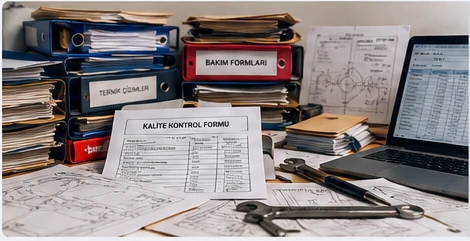
Finding the flange's technical data, previous inspections and related documents may require searching through different sources.

From QR access to technical data, photo-supported quality control and reporting. Manage field flanges, responsibilities and operation records in one platform.
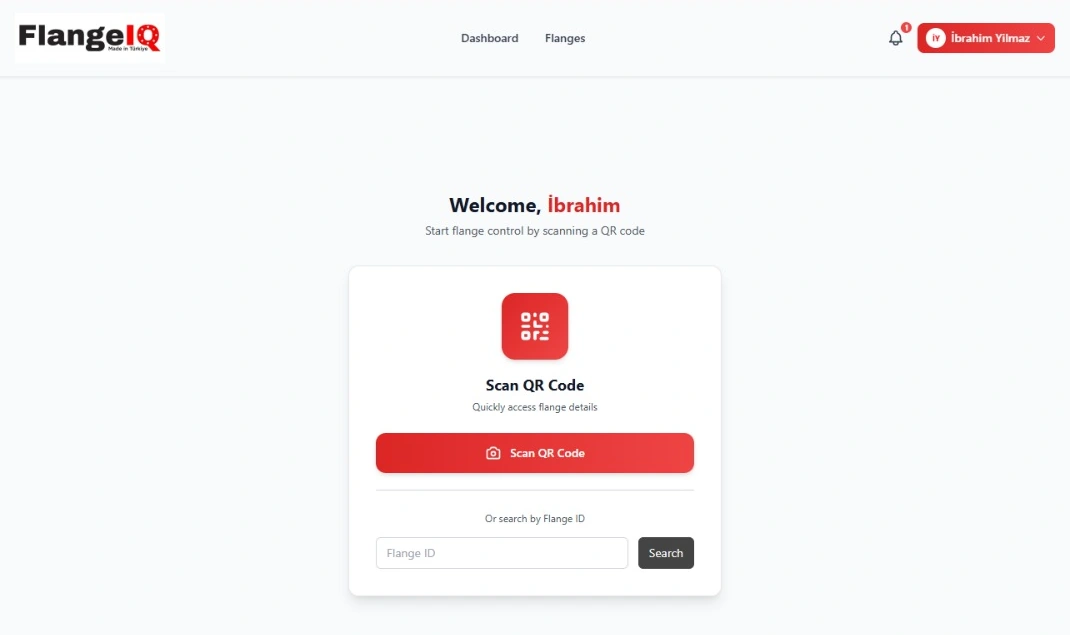
Assembly and quality control personnel open the relevant flange from a clear, role-based entry screen. Only authorised menus, data and actions are shown.
Scan the QR code from the simple entry screen to access the flange's technical data and the actions your role permits. The same screen also supports searching by flange number.
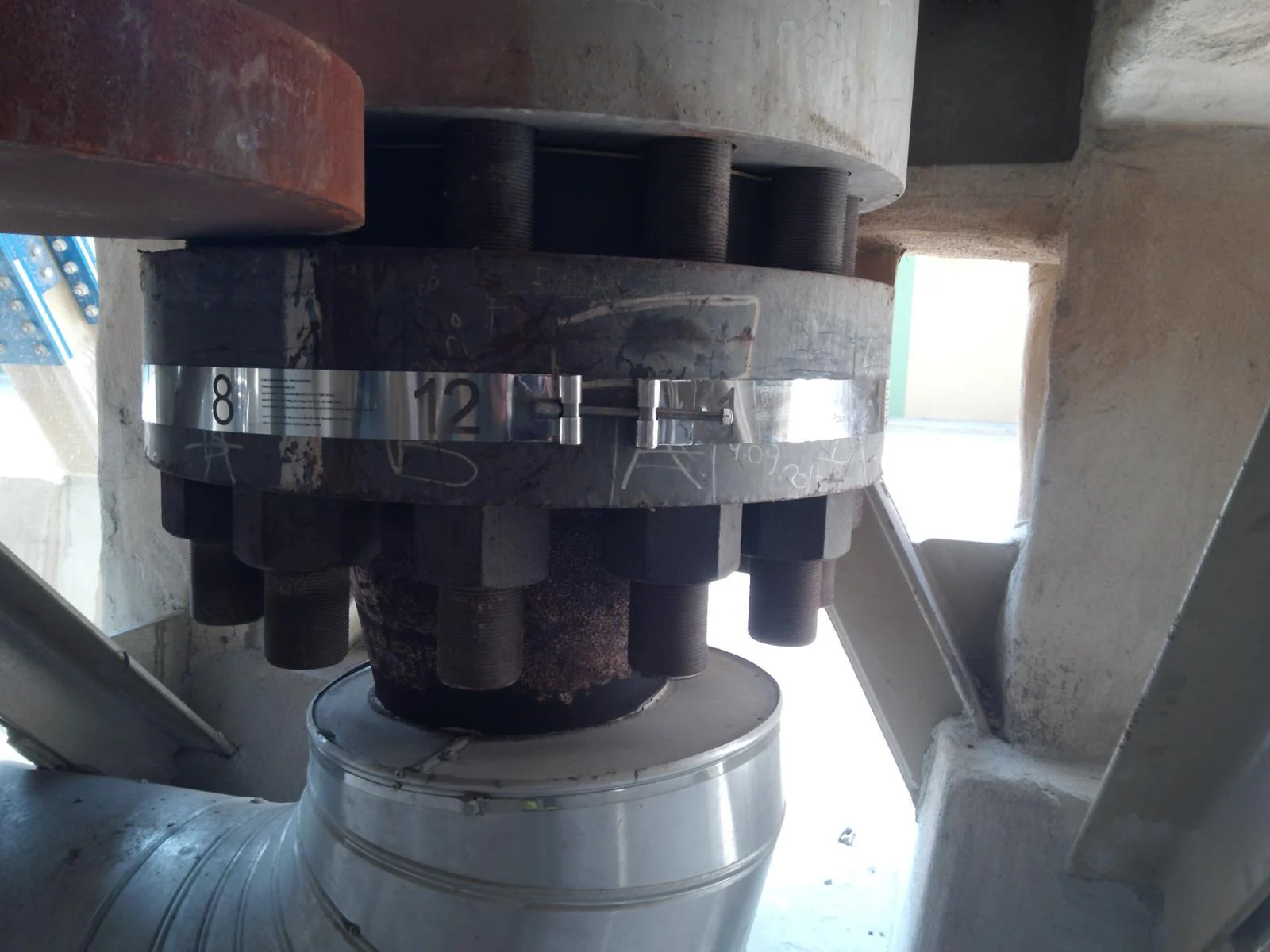
FlangeFIX makes field numbering and identification visible. Tightening is carried out with the equipment. FlangeIQ brings the flange's technical data, records, quality checks and responsible personnel together digitally.
 Enlarge
The FlangeFIX numbering band and QR code support identification of the relevant flange.
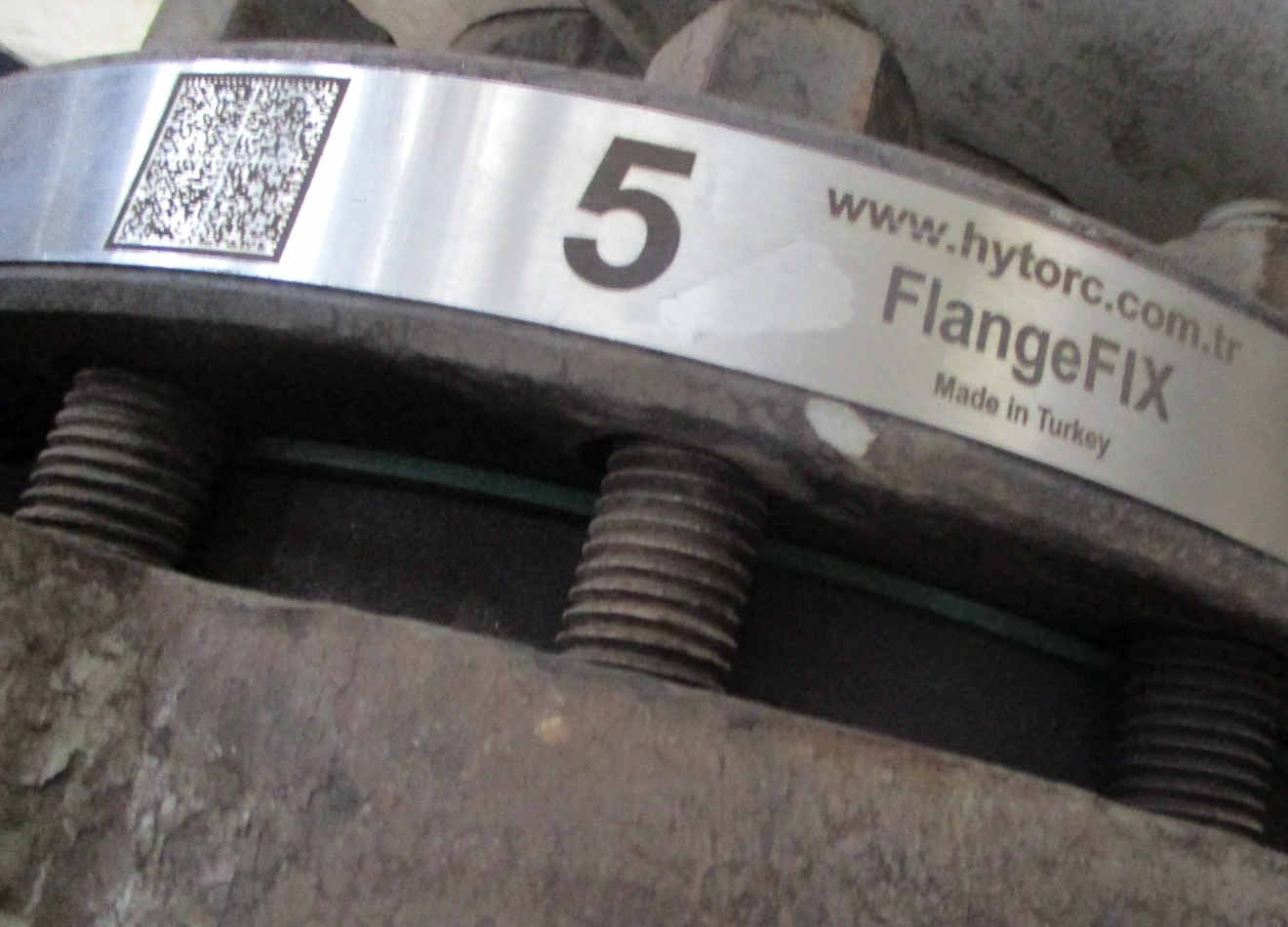
Finding the flange's technical data, previous inspections and related documents may require searching through different sources.
 Enlarge
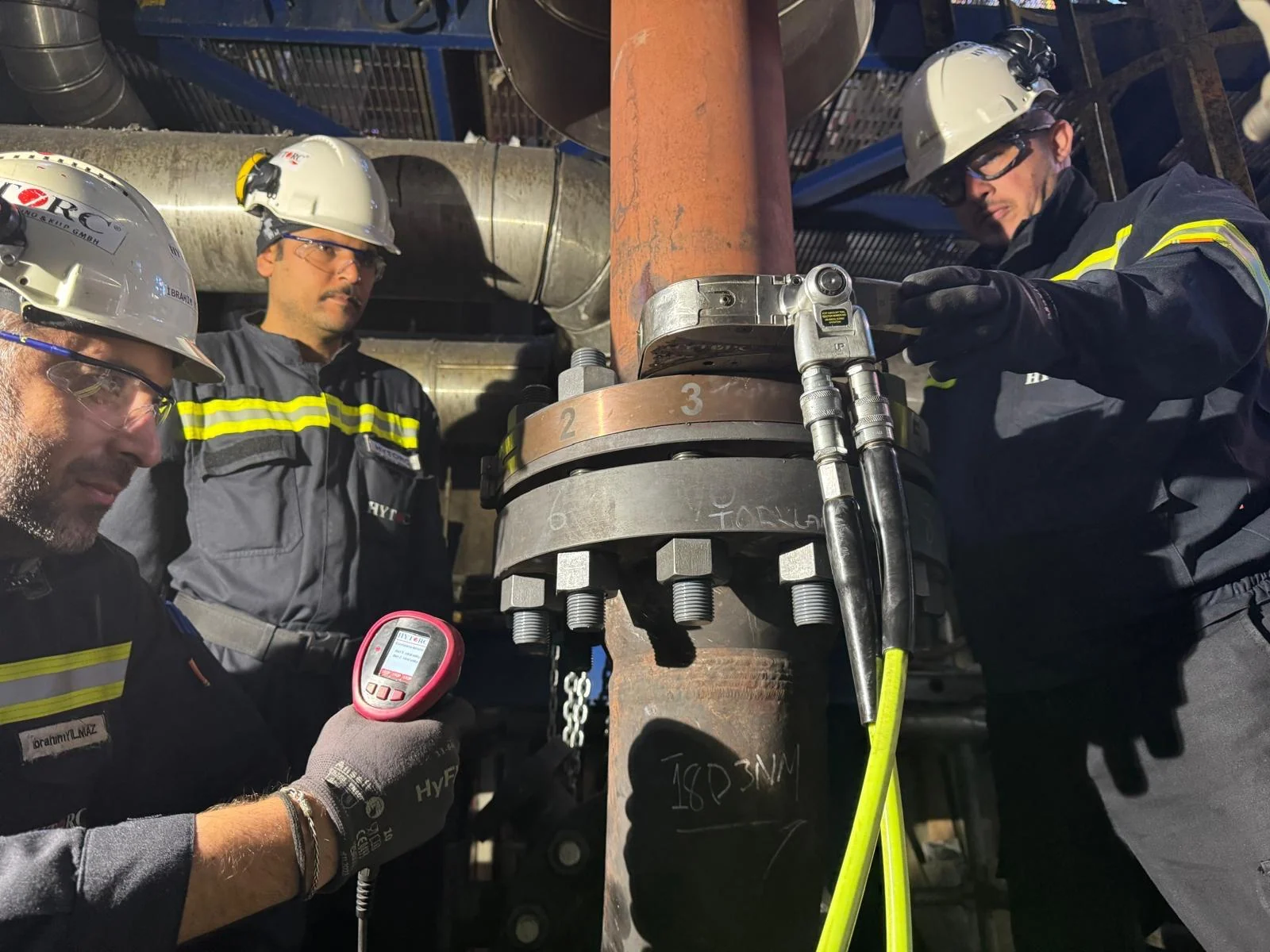
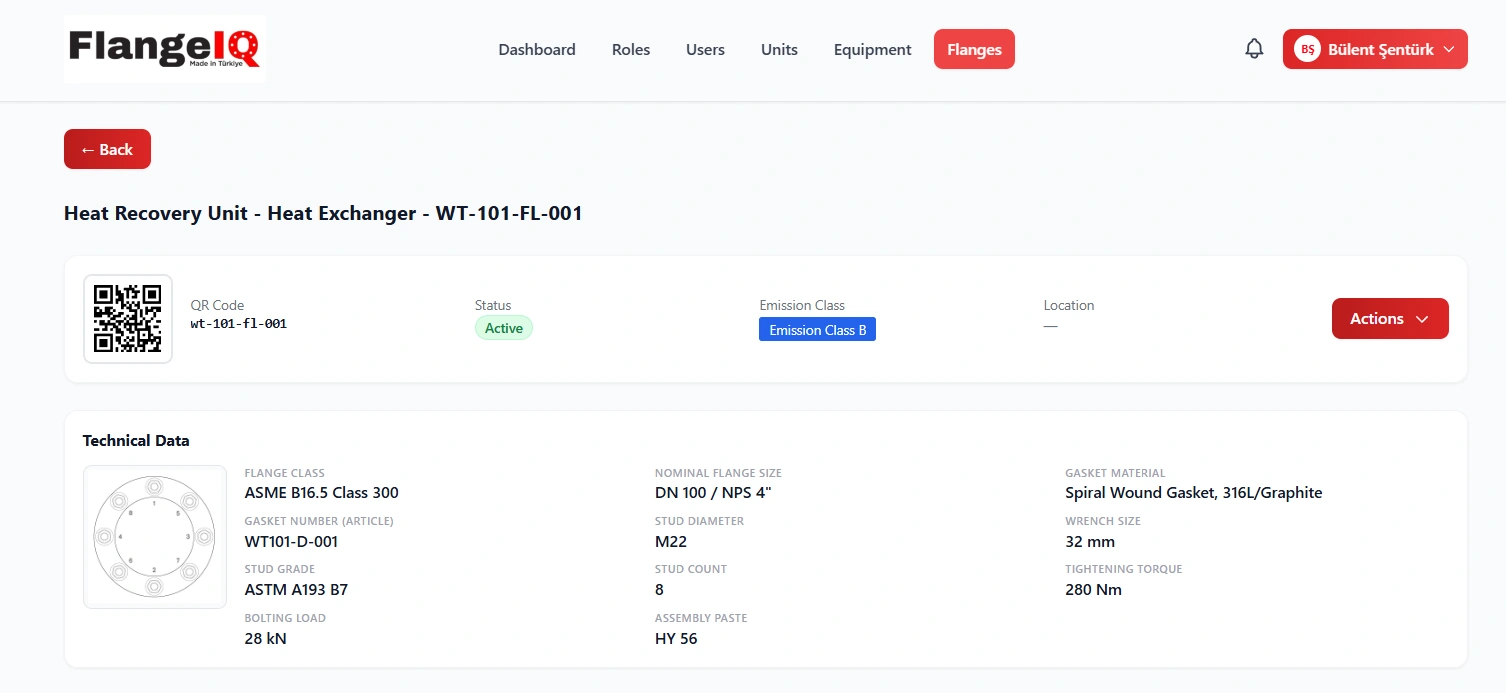
QR access brings technical data, the defined tightening sequence, inspections and certificates together according to user permissions.
Active, assembly, disassembly, faulty and pending-control flanges are accessible to authorised users through filterable records, emission classes and technical details.
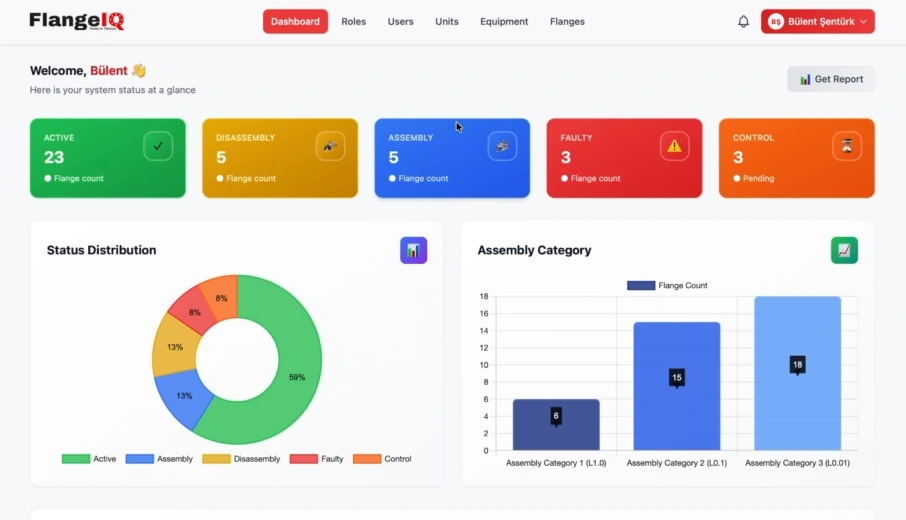
Use the Dashboard's Get Report section to view records with unit, equipment and status filters, then export reports as Excel or PDF files.
Reports support management and monitoring; flange certificates document assembly and quality control. Complementary records for different purposes.
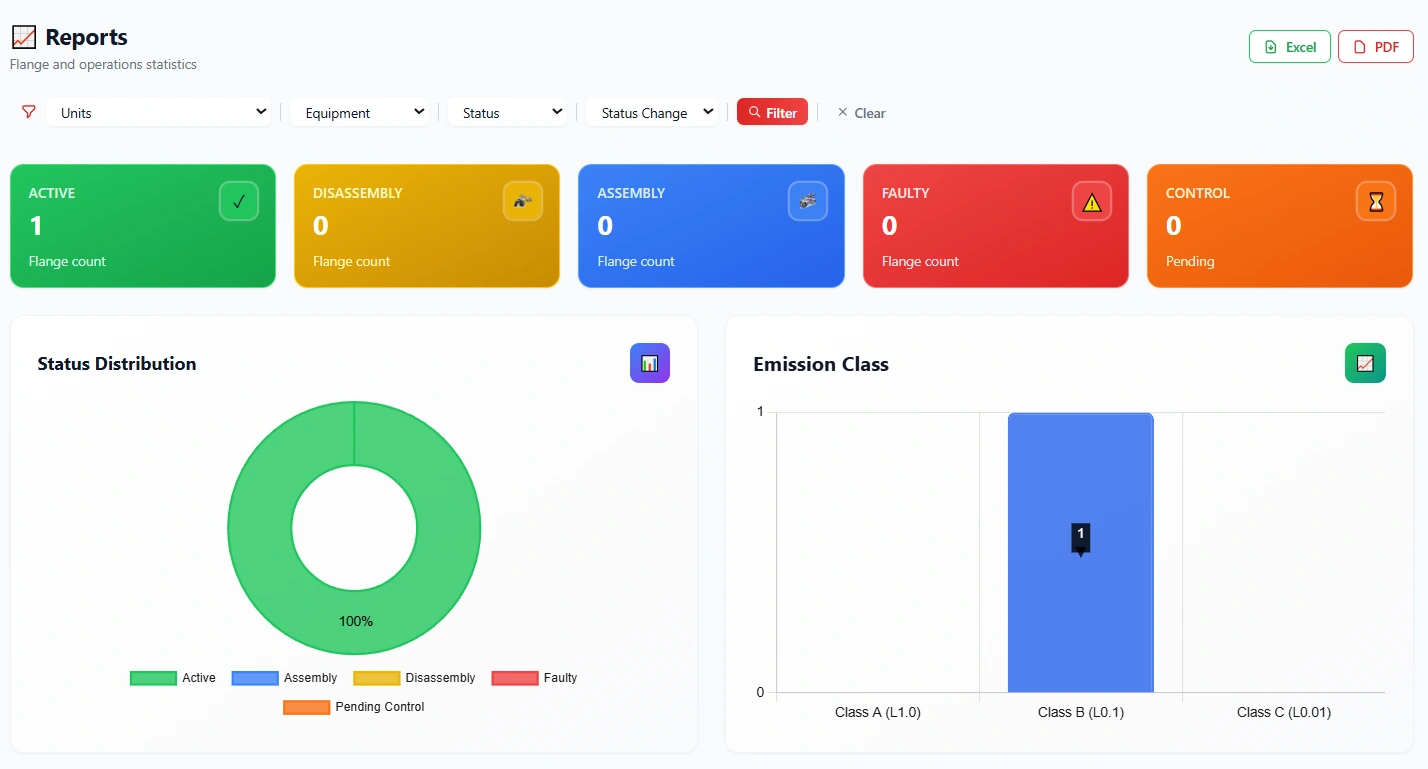 Explore the reporting screen
Flange details: technical data, location and the relevant flange record.
Full imageThree capabilities shown through real FlangeIQ screens: location and compass support, status updates and detailed operation history.
The recorded flange location, distance, direction, compass and on-site description in one place. Teams can access the information they need to locate the connection.
Authorised users can update a flange to active, faulty, assembly or control status, adding a photo and comment when needed. The saved status is available in the central system.
Operation history brings dates, operation types and detailed change records together. Where available, previous and new values can be compared in the record details.
Status, location, technical data, emission class, files, equipment relationships and operation history can be managed from the relevant flange record, subject to permissions.
Explore QR access, flange management and quality control through real product footage.
FlangeIQ's eight-step quality control records each step with a decision, a photo and, where required, a comment. Both approved and rejected results leave a visible record.
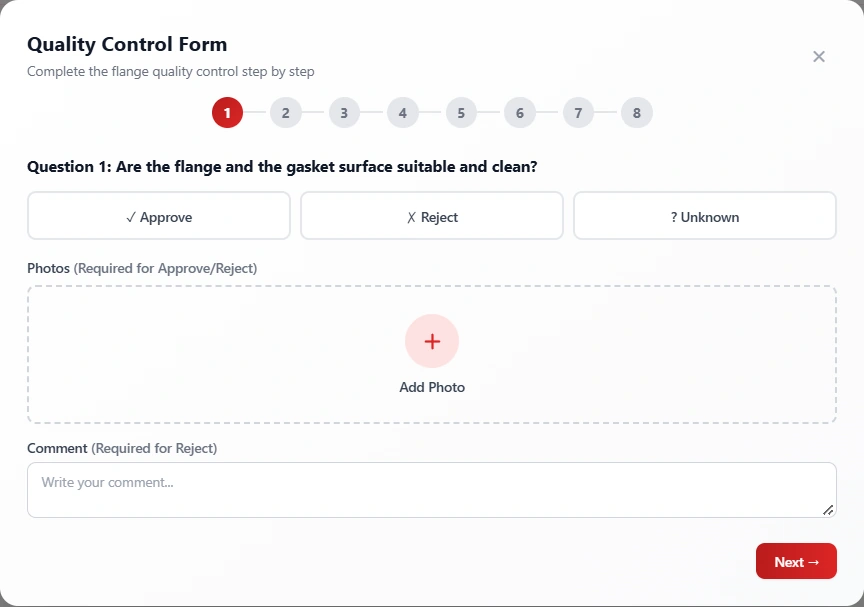
Work through the control process and choose Approve, Reject or Unknown. Approvals and rejections are supported by photos, with a reason required for rejection.

Approved and rejected quality control results are saved with their dates.
Open the actual PDF examples from the small previews.
Competent personnel need access to flange-specific technical information on site, when they need it, to perform assembly correctly. Through QR access, FlangeIQ provides authorised users with flange identification, gasket and connection data, defined torque and bolt load values, tightening sequences, technical files and quality control records. This supports documentation for leak prevention, maintenance and emissions management.
Scan the QR code: Give authorised personnel direct access to the technical information and defined assembly documents for the flange they are working on.
European BAT texts address correct assembly of flanged connections, competent personnel, leak prevention and maintenance records. Personnel trained within the EN 1591-4 framework need the correct technical data for the flange on site. FlangeIQ supports work and traceability by organising tightening sequences, predefined torque and bolt load values, technical documents, photo-supported quality checks and certificates in the same flange record.
Receive an automatic notification when a negative event is recorded in your assigned unit or equipment. Open the relevant flange record from the notification and share instructions with the team in that flange's chat.
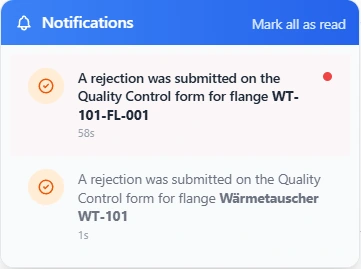 View the notification up close
Negative events in the assigned area are communicated to the responsible person. Access the flange record without searching for a separate management screen.
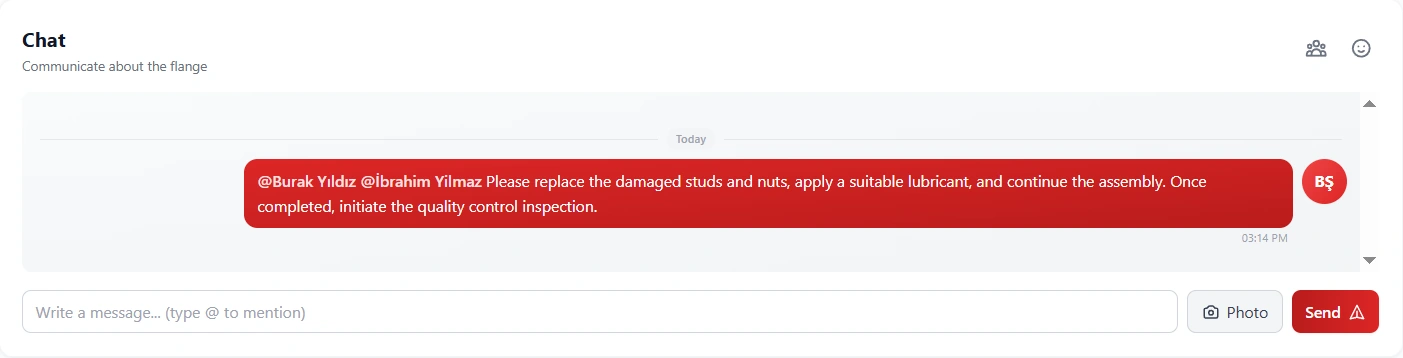 Explore the chat screen
Write a message, add a photo and tag the relevant person with @. The tagged user receives a notification; communication between the field team and the responsible person stays in the flange record.
FlangeIQ allows detailed role and action permissions. Users see only the information and actions permitted by their role, reducing complexity while maintaining control.
The visible areas in this interactive example are illustrative. In the actual application, each customer's roles and assigned permissions determine access.
Managers, assembly personnel and quality control personnel work in the same system. Menus and actions reflect the permissions granted to each user.
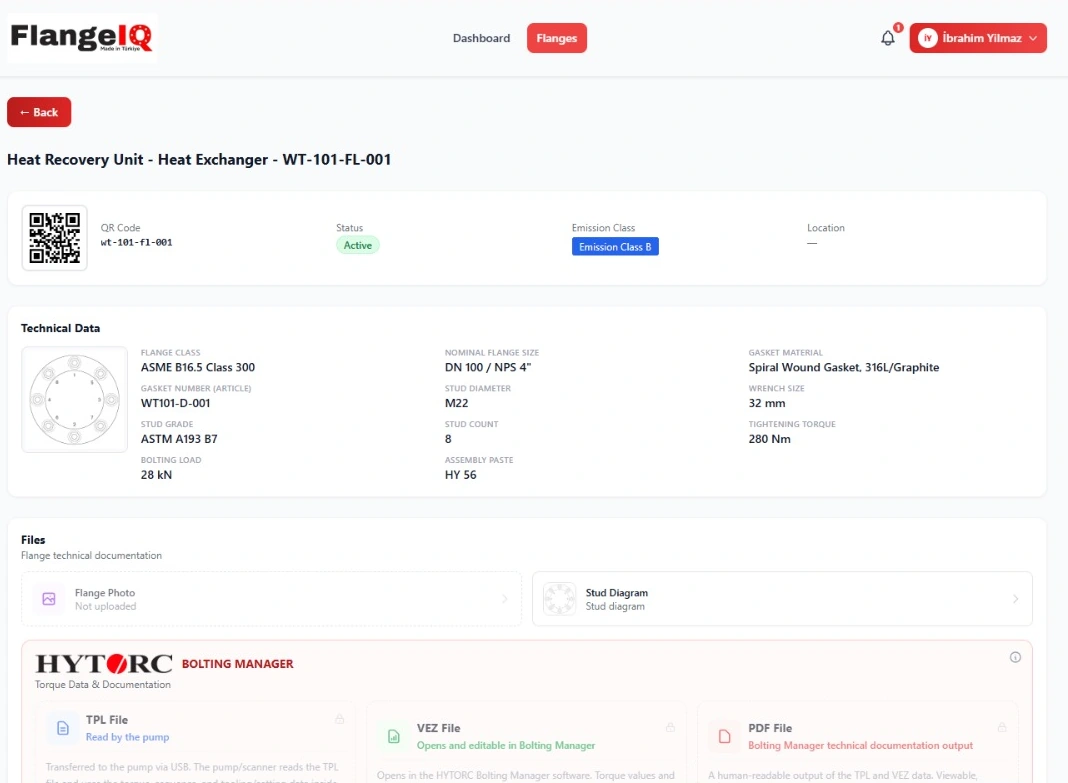 Explore the simplified menu and flange screen
A user can access multiple authorised FlangeIQ licence environments with the same login credentials. The access boundaries and role permissions of each licence apply when switching environments.
From refineries to food production, documented and traceable workflows across industries with flanged connections.
Digital traceability for large flange inventories and planned maintenance operations.
Assembly, inspection and technical documentation on critical process lines.
Connection status tracking in power generation and auxiliary systems.
Equipment- and flange-specific quality records across production lines.
Maintenance and connection inspection history in industrial operations.
Controlled maintenance and documentation for flanged process equipment.
Common questions about FlangeIQ, field management, quality control and environmental traceability.
FlangeIQ is a platform for digitally managing flange identification, technical data, status, assembly, quality control, certificates and communication records in industrial facilities.
The QR code provides access to the relevant flange record. Authorised users can see flange status, technical values, gasket and stud information, the tightening diagram and permitted files.
No. Each role can have separate viewing and action permissions. Scanning a QR code also limits access to the content and functions the user is authorised to use.
FlangeFIX supports physical bolt numbering and QR identification on the flange. FlangeIQ manages the digital flange record, technical documents and inspection processes. They perform different, complementary functions.
Yes. The flange's stud diagram and numbered tightening sequence can be viewed in the relevant record's technical documents.
The FlangeIQ quality control form has eight steps, with Approve, Reject and Unknown options. Approvals and rejections are photo-supported, and a comment is required for a rejected step.
Non-conforming steps, comments, photographs and timestamps remain in the record. The rejected quality control result is also shown on the certificate.
Yes. The completed quality control result can be documented in a PDF flange certificate with technical data, photo-supported steps and responsible personnel.
Authorised personnel can view notifications, communicate in the flange-specific chat, tag users and monitor the relevant record remotely.
Yes. Users can switch between authorised licences using the same login account. The data and permission boundaries of each licence are maintained.
Flange records provide document areas for TPL, VEZ and PDF files. TPL is a file type the pump can use; VEZ can be opened and edited in Bolting Manager; PDF is the readable documentation output. Actual use depends on the device and configuration.
No. FlangeIQ does not measure leaks or independently guarantee legal compliance or zero leakage. Photo-supported quality control, maintenance history and technical documentation can support environmental compliance and emission-reduction work.
Tagging a user with @ in the flange chat sends that user a notification. Questions, answers and photos are shared within the relevant flange record.
Yes. Users assigned responsibility for a unit or equipment receive automatic notifications of negative events recorded in their area.
Yes. Reports can be exported in Excel and PDF formats from the Dashboard's reporting section. These are reporting outputs distinct from flange quality control certificates.
Yes. The simple user entry screen provides a Flange ID search field alongside QR scanning. Access remains limited by the user's permissions.
Capacity options from 1,000 to more than 50,000 flanges. Choose the package that suits your needs, then send a demo or quotation request.
* Unlimited users in all packages, subject to fair use. Request a quotation for pricing and commercial terms.
Request a demo or quotation for your selected flange capacity. Send your enquiry directly and the FlangeIQ team will contact you.
Choose a package above, or send a general demo request without selecting one.